



Experience premium entertainment with Xtreme HD IPTV UK. Enjoy 24,000+ live channels, a huge on-demand library, smooth streaming, Full HD quality, and regular content updates.
If you’re setting up IPTV on a Firestick, Fire TV, or Fire Cube, you’re in the right place. This guide keeps things simple, straight to the point, and easy to follow, even if you’re not very technical. We’ll walk through installing the Downloader app and then show you the best IPTV apps to use in 2026.
Everything here works perfectly for UK users.
What the Downloader App Is and Why You Need It

Downloader is one of the most used apps in the streaming world. Millions of people use it to install apps that aren’t available in the Amazon App Store.
It works on all Firestick models, Fire TV, and Fire TV Cube.
What it does is simple. It gives you a built-in browser where you can enter a website link or a code and download apps directly. This is how people install IPTV apps on Firestick.
Just so you know, Downloader does not work on Roku or Apple devices like iPhone or Apple TV. Those use different systems.
How to Install Downloader on Firestick or Fire TV
This method works on all Firestick models, Fire TV, and Fire TV Cube, including the latest interface.
From the Firestick home screen, move over to Find and click on Search
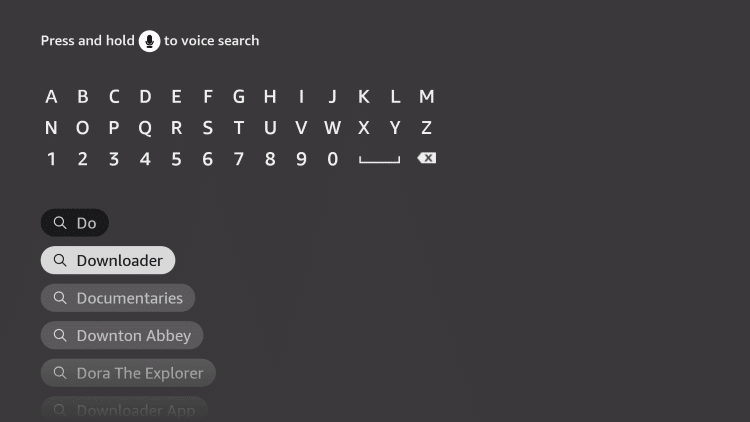
Type Downloader and select it from the results
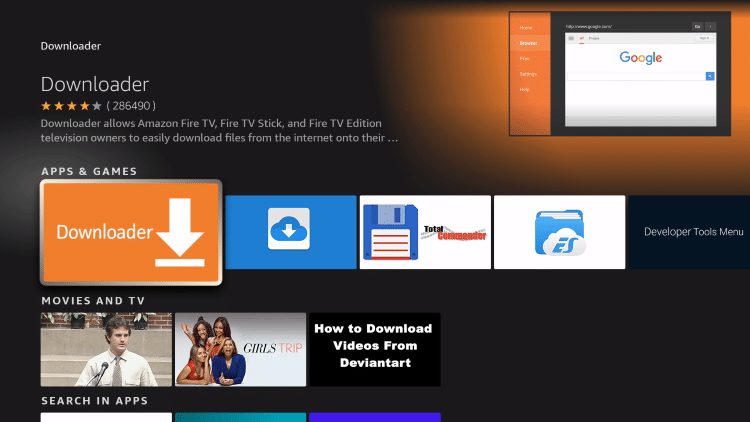
Open the Downloader app page
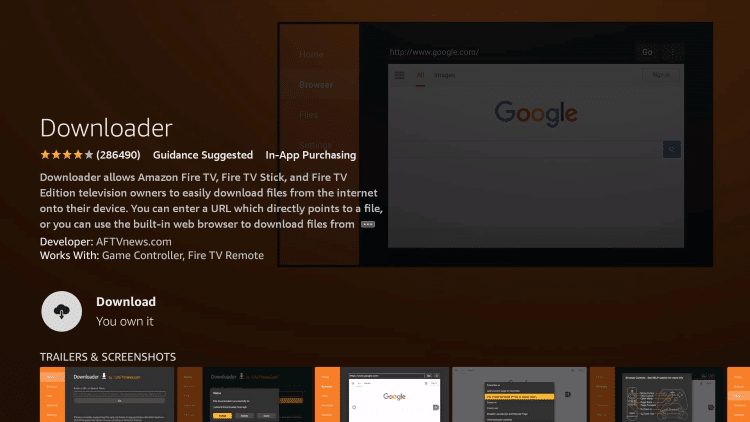
Click Get or Download
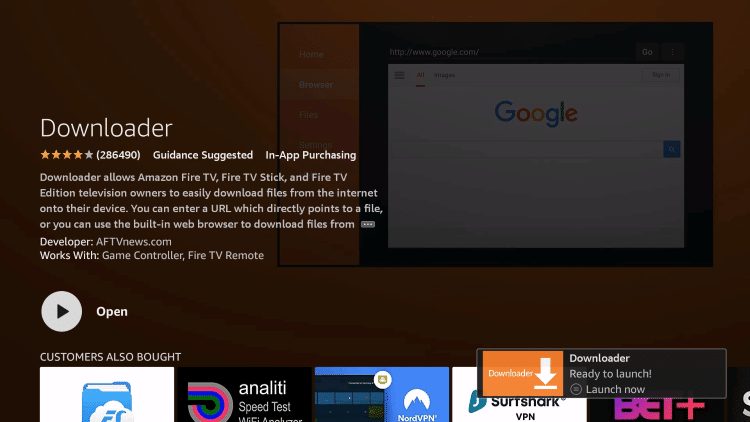
Wait a few seconds for it to install
Once installed, you’ll see a message saying the app is ready to open.
That’s it. Downloader is now on your Firestick.
Enable Developer Options on Firestick (Required)
Before you can install apps using Downloader, you need to enable Developer Options on your Firestick. This allows apps to be installed from outside the Amazon App Store. This step is also shown in the video above, but if you’d rather not watch it, follow the steps below.
We’ve also included a separate short video that shows this exact process step by step.
Step-by-Step: Enable Developer Options on Firestick
From the Firestick home screen, go to Settings
Select My Fire TV
Click About
Highlight Fire TV Stick (or your device name)
Press the OK button on your remote 7 times until you see a message saying “You are now a developer”
Go back to My Fire TV
Open Developer Options
Turn Apps from Unknown Sources to ON
Once this is enabled, you’re ready to use Downloader to install IPTV apps without any issues.
Best IPTV Apps for FireStick in 2026
There are loads of IPTV apps out there, but these are the most reliable and widely used right now. All of them support Xtream Codes login, which most IPTV services use.
IBO Player Pro

Downloader Code: 481220
Cost: Paid app
Pricing:
• 7-day free trial
• Lifetime activation around £7.80 per device
Very smooth and well-designed, but it does need activation after the trial.
Hot IPTV | Hot Player
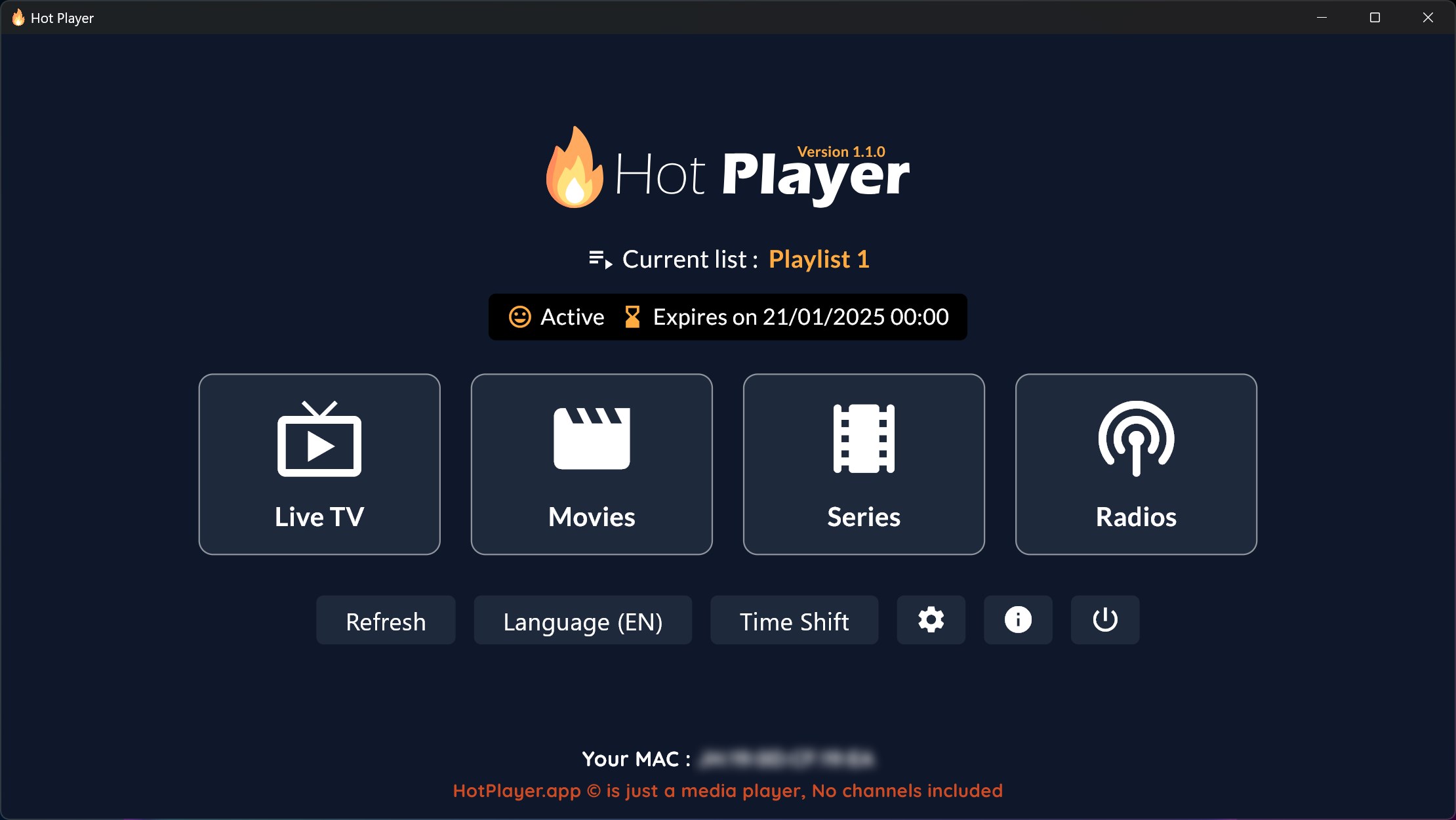
Downloader Code: 395800
30 days trial period
Cost: Paid app
Pricing options:
• One-time activation around £11 per device
• 1-year activation around £4.40 per device
Once activated, there are no ongoing fees.
How to Log In to Your IPTV App
Once you’ve installed any of the apps above, the setup is very straightforward.
In most cases, you just open the app and choose Login with Xtream Codes API.
This option is available on almost all IPTV apps.
You’ll then enter the IPTV details we sent you, usually a username, password, and server URL, into the correct boxes and that’s it.

Any Name: This can be anything you like (it’s just for your reference)
Username: Use the username we sent you
Password: Use the password we sent you
URL: Enter the server link included in your details
A couple of apps work slightly differently. Hot IPTV and IBO Player require you to log in on their official website first and upload your M3U link there instead of entering details directly on the Firestick.
After that’s done, you simply refresh or reopen the app and your channels will load. All other apps let you log in directly on the device without any extra steps.
Final Thoughts
If you own a Firestick, Fire TV, or Fire Cube and want IPTV, installing Downloader is the first step. Pair it with a good IPTV app like IPTV Smarters Pro and an active subscription, and you’re ready to stream.
This setup is simple, reliable, and ideal for everyday IPTV use in the UK.